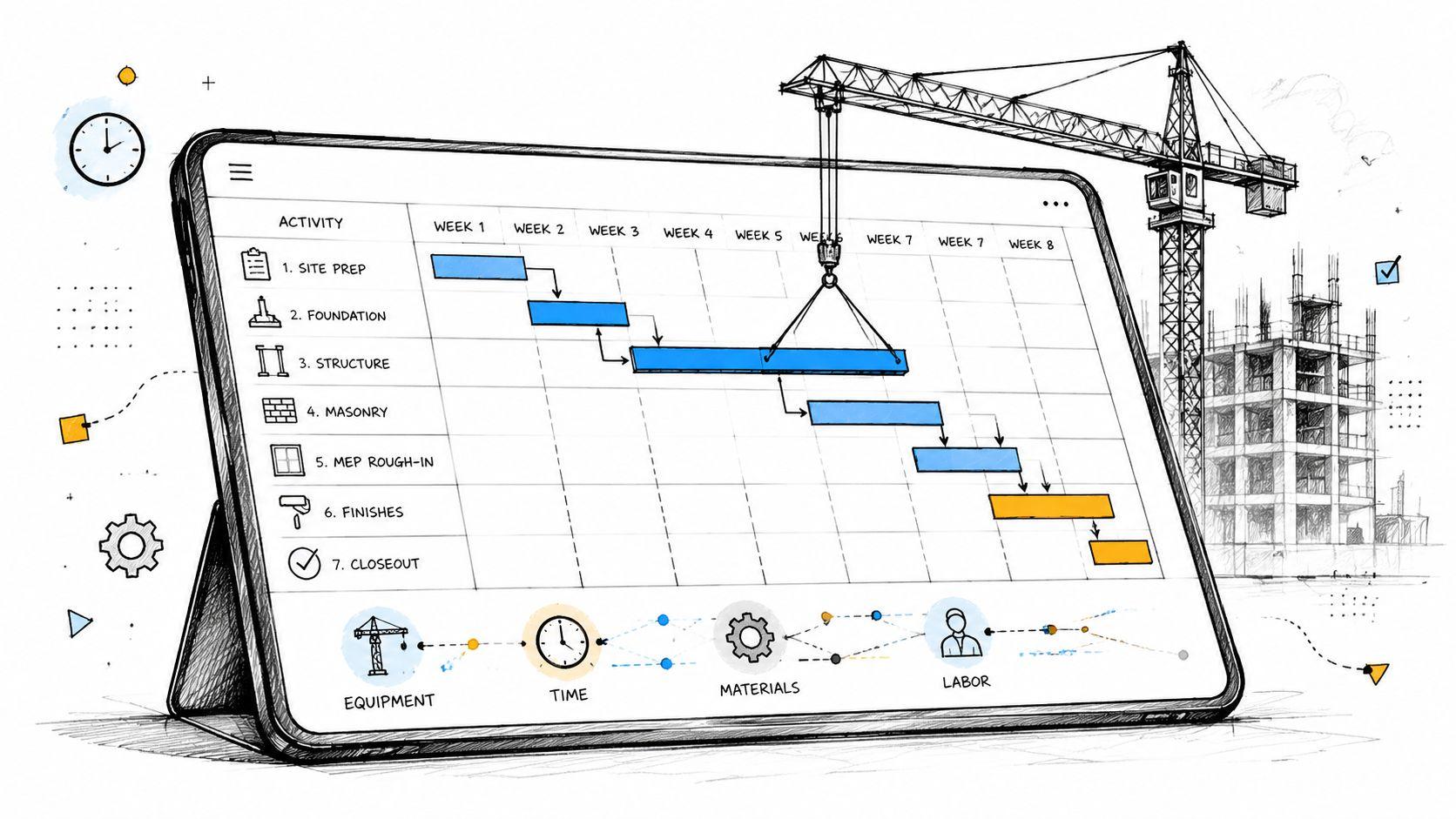

Construction Scheduler Software: 2026 Guide to Features
A lot of project teams are still running the schedule from a spreadsheet, a whiteboard, and a string of phone calls. One subcontractor has an outdated lookahead. The superintendent is working from yesterday's sequence. Procurement says a delivery slipped, but the crew assignment hasn't changed. By the time the office catches up, the job has already drifted.
That's why construction scheduler software matters. It doesn't just make a schedule look cleaner. It gives the team one operating plan that can absorb changes, expose knock-on effects, and keep the field and office pointed at the same next move.
Beyond Spreadsheets and Whiteboards
Manual scheduling usually fails the same way. The first version looks organized. Then procurement shifts, an inspection gets pushed, labor availability changes, and the whole plan starts living in separate places. One update sits in email. Another sits in a superintendent's notebook. A third sits in someone's head.
That's manageable on a small, simple job. It breaks down fast on work with multiple trades, tight handoffs, or owner pressure.

Why manual coordination stops scaling
Construction scheduler software has moved well past the “nice to have” stage. In a 2026 industry roundup, 49.2% of respondents reported using software for project scheduling, 56.5% said they used project management tools, and 68% used software for project financials, according to construction software industry statistics. The same source says that by 2025, more than 30% of construction software platforms were expected to include AI-driven tools as a projection, which shows where the category is heading.
Those numbers matter because scheduling rarely stands alone. When teams digitize scheduling, they usually also connect cost control, reporting, and day-to-day project management. That turns the schedule from a planning artifact into an operational system.
For teams trying to tighten dispatch, crew handoffs, or coverage planning outside the jobsite context, there's also useful crossover thinking in managing field service teams effectively. The underlying issue is similar. Static plans fail when real-world conditions change faster than the paperwork.
Practical rule: If the team needs a meeting to figure out which schedule version is current, the project doesn't have a scheduling process. It has a document problem.
What changes when software becomes the source of truth
Good construction scheduler software reduces guesswork in a very plain way. It gives project managers, supers, and trade partners one live plan instead of a stack of exports. It also makes it easier to connect schedule commitments with the broader coordination habits teams already use in digital operations, including structured booking and time allocation systems such as Google Calendar appointment scheduling workflows.
The shift isn't just from paper to software. It's from static planning to dynamic risk management. That's the difference between asking “What was the original plan?” and asking “What changed, what does it affect, and what has to move next?”
What Is Construction Scheduler Software Really
A lot of software demos still present scheduling as a prettier calendar. That misses the point. Construction scheduler software is closer to a project's control layer. It takes inputs from labor, sequencing, procurement, field status, and milestones, then turns those inputs into an updated execution plan.
A calendar stores dates. A scheduler models work.

It understands relationships, not just deadlines
That distinction is what separates construction scheduler software from generic task tools. In construction, one activity rarely moves alone. Concrete placement affects curing. Curing affects layout. Layout affects framing. Framing affects MEP rough-in. The schedule only helps if it understands those relationships.
Oracle's guidance explains the core well. Effective scheduling software works by entering activities, durations, sequence or relationship type, and calendar availability so the system can compute dates automatically. That approach centralizes schedule data and reduces manual recalculation, as described in Oracle's lean construction scheduling guidance.
That automatic date calculation is not a convenience feature. It's the engine.
It becomes the live model of the job
Once the schedule behaves like a dependency network, the software can do work that spreadsheets usually can't handle consistently:
- Recalculate downstream impacts when one predecessor slips.
- Show the field what changed without forcing everyone to rebuild the plan manually.
- Tie current status to future commitments so short-term planning isn't detached from the master schedule.
- Expose conflicts early when labor, access, approvals, or deliveries don't line up.
A construction schedule becomes useful when crews can trust it on Monday morning, not just when it looks polished in the owner meeting.
That's why the best tools are less about chart visuals and more about operational trust. The team needs to believe that if something changes in one part of the project, the schedule reflects that change in the rest of the workflow. Otherwise, people go back to side lists, text threads, and verbal workarounds.
The real test
A simple test separates a real scheduler from a dressed-up task board.
| Question | Weak tool behavior | Useful tool behavior |
|---|---|---|
| A delivery slips | Team updates one date manually | System shows affected activities and resequencing choices |
| Crew availability changes | Schedule and staffing drift apart | Resource assignments and timing can be reviewed together |
| Field progress differs from plan | Office learns later | Updates flow into the live schedule quickly |
| Owner asks about impact | Team gives a rough answer | Team can compare planned versus actual and discuss consequences |
If software can't help the team reason through those moments, it isn't functioning as project control. It's just digital paperwork.
Core Capabilities You Cannot Ignore
The market is full of feature lists. Most of them blur together. What matters in practice is whether the software can keep the schedule usable after the project starts taking hits.
That means looking past polished dashboards and focusing on a handful of capabilities that change field execution.

Dependency visibility and critical path control
Every construction scheduler software platform should show task logic clearly. That includes dependencies, milestones, float visibility, and critical-path sensitivity. Gantt charts still matter here, not because they look familiar, but because they let the team see sequencing in a way that's easy to discuss.
If logic isn't visible, teams start managing by date promise instead of by workflow. That usually leads to false confidence. A finish date on a line item doesn't mean much if no one can see the predecessor chain behind it.
Resource coordination that matches reality
A schedule that ignores labor and equipment availability is only half-built. The software should help the team test whether the planned sequence can be staffed and supported.
Look for practical resource behaviors, not abstract “optimization” language:
- Crew loading visibility so one superintendent doesn't unknowingly overcommit the same people.
- Equipment awareness when lifts, access gear, or specialty resources need to move between work areas.
- Material timing alignment so installation tasks don't stay green while procurement is already slipping.
A good schedule doesn't just ask whether work could happen. It asks whether the team can perform it under current conditions.
Integration with the systems teams already use
Many buying decisions falter here. Some teams adopt a new platform and expect everyone to abandon Primavera P6, Microsoft Project, or ASTA PowerProject overnight. That usually creates friction instead of clarity.
Modern platforms often work better when they extend established CPM tools rather than replacing them outright. Autodesk notes that current construction schedule-management platforms commonly upload schedule data from Primavera P6, Microsoft Project, and ASTA PowerProject, then add real-time collaboration, baseline tracking, and links to project data like RFIs, documents, procurement, and field updates in Autodesk's construction schedule management overview.
That's a practical milestone in how the category evolved. The schedule no longer has to live apart from execution.
For teams comparing operational software outside the construction stack, it helps to think in terms of room, time, and resource coordination too. The same planning discipline shows up in systems built for meeting room management, where the core problem isn't booking a slot. It's preventing collisions across shared resources.
Field note: The best integrations don't create more data. They make existing project data usable inside scheduling decisions.
Mobile updates and baseline discipline
Schedulers often focus on the master schedule while supers focus on the next few days. Good software has to serve both.
That usually means two things working together:
- Field updates have to be easy enough to happen consistently.
- Baseline tracking has to remain strong enough to show variance clearly.
If a tool nails collaboration but loses baseline control, the team gets noise without accountability. If it nails baseline control but field updates are cumbersome, the plan turns stale. Construction scheduler software earns its keep when it supports both current execution and disciplined comparison against the original plan.
Key Use Cases in Modern Construction
Tuesday at 6:15 a.m., the curtainwall delivery is late, one inspection failed the day before, and two trades are asking whether they should still send full crews. That is when scheduling software proves its value. What truly matters is not drawing a clean baseline; it is seeing the knock-on effects fast enough to protect production, labor, and commitments.
Two-week lookaheads that crews will actually use
A superintendent needs a plan for the next two weeks that reflects site reality, not last Friday's printout. Access, prerequisite work, manpower, inspections, and material status all change the answer.
Good scheduling software builds that lookahead from live logic instead of forcing someone to rebuild it in a spreadsheet. If drywall is waiting on overhead rough-in, and overhead rough-in is waiting on inspection signoff, the field team can see the constraint before a crew burns half a day standing by. That is a direct shift from static planning to active risk control.
The best lookaheads also expose readiness. They do not just show what should happen. They show what can happen.
That matters on multi-trade jobs. A foreman can commit with more confidence when the handoff conditions are visible in the same schedule the PM is using. The coordination problem is similar to other staffing environments built around time-sensitive coverage and handoffs, such as call center scheduling software for shift coordination, but construction adds location conflicts, inspections, and sequence risk on top.
Delay impact analysis without guesswork
Delays rarely stay local. A late submittal can push procurement. Procurement can push install. Install can push testing, turnover, and owner move-in.
A scheduler that models logic well lets the team test options instead of arguing from memory. If an inspection fails, the question is not only how many days were lost. The better question is what can be resequenced without creating trade stacking, safety issues, or rework. If a long-lead item slips, the team needs to know which downstream dates are exposed and whether temporary workarounds are worth the cost.
A few situations come up on almost every project:
- Long-lead materials slip. The team checks which milestones, trades, and areas are now at risk.
- An inspection fails. The team resequences unaffected work to keep labor productive.
- A subcontractor falls behind. The GC weighs recovery options such as added crews, overtime, partial area release, or accepting a later finish.
Software does not remove the judgment call. It improves the quality of the judgment. Teams can compare scenarios in one working model and see the operational trade-offs before they commit money or promise a date.
Better owner reporting and subcontractor coordination
Owners want clear answers. Trade partners want to know what changed, what is blocked, and where they can work next.
Useful scheduling software helps the team answer those questions without turning every update into a custom exercise. A PM should be able to walk into an OAC meeting and show the current sequence, the reason for movement, the trades affected, and the decisions needed this week.
| Common question | What the software should help show |
|---|---|
| Are we still on sequence? | Current task status against planned flow |
| What changed this week? | Shifted activities, changed milestones, and new constraints |
| Who is affected by the change? | Impacted trades, handoffs, and upcoming work areas |
| What needs a decision now? | Items blocking the next planned work package |
Good coordination meetings focus on recovery and commitment, not on whose spreadsheet is right.
That is the operational use case that matters most. The schedule becomes a control system for handling uncertainty. Teams use it to protect near-term work, explain impacts clearly, and make faster decisions when the project stops behaving like the original plan.
How to Choose the Right Scheduling Software
Most software evaluations start too low. Teams compare colors, layouts, report styles, and feature grids. Those things matter, but they won't tell a contractor whether the platform can survive the disorder of a live project.
The better question is simpler. When the plan breaks, does the software help the team recover intelligently?

Start with risk, not features
A lot of platforms can build a timeline. Fewer can help teams manage uncertainty quantitatively. Vendor-neutral guidance has increasingly shifted toward baselines, scenario analysis, variance tracking, planned-versus-actual comparison, and root-cause analytics. SmartPM notes that a critical and often overlooked selection criterion is how software handles schedule risk, including scenario modeling and predictive analytics, in its discussion of construction scheduling software evaluation.
That should reshape the demo process.
Instead of asking only “Can it build a lookahead?” ask questions like these:
- Weather disruption: How does the tool model lost working time and resequencing options?
- Inspection failure: Can the team test alternative task order without corrupting the baseline?
- Labor shortage: Will the platform show resource pressure clearly, or only show task dates?
- Procurement slip: Can upstream material status be reflected inside schedule risk discussions?
If a vendor answers those questions with generic dashboard talk, that's a warning sign.
The practical evaluation framework
Not every firm needs the same depth, but most buyers should evaluate construction scheduler software across five operational criteria.
Usability in the field
If supers and foremen won't update it, the schedule will drift. A clean field workflow matters more than a complex office-only interface.
Scalability across project types
A platform might work on a straightforward commercial job and struggle on multi-phase work with layered handoffs. Buyers should test the tool against the most demanding project type they run.
Integration with existing systems
The schedule has to connect with the rest of project control. That may include accounting, BIM, document management, project management, or workforce tools. Teams in other operational environments make the same decision when reviewing systems like call center scheduling software. The common issue is whether scheduling data lives in isolation or supports broader coordination.
Baseline and variance discipline
Some tools make changes easy but make accountability blurry. The software should preserve clear baseline references and make drift visible without requiring manual detective work.
Scenario handling
This is the defining separator. Can the team test what happens next, or can it only record what already went wrong?
The best software choice usually isn't the one with the longest feature sheet. It's the one that helps the team answer hard schedule questions before the job pays for the mistake.
Red flags during selection
A short list of warning signs saves time fast:
- Too much emphasis on visuals and too little on logic management.
- Weak mobile adoption paths for field users.
- No clear answer on baselines or revision tracking.
- Integration claims without workflow examples.
- Risk language that stays vague when asked about actual scenario use.
Construction scheduler software should be judged by how it behaves under strain. That's when schedules either guide execution or become decoration.
Best Practices for Deployment and Rollout
Buying the platform is the easy part. Getting the project team to trust it is the hard part. Most failed rollouts don't fail because the software lacked capability. They fail because the implementation ignored how construction teams work.

Start with one project that can tolerate learning
A pilot beats a companywide launch almost every time. Pick a project with enough complexity to test real use, but not one so distressed that the team has no room to adapt.
The goal of the pilot isn't perfection. It's to prove that the software can support the daily scheduling rhythm without adding friction the field won't tolerate.
Standardize what should be repeatable
Most firms need a basic operating structure before they need advanced analytics. That usually includes:
- Template logic structures for recurring activity types.
- Naming rules so updates are readable across teams.
- Baseline procedures that define when and how revisions are locked.
- Update ownership so everyone knows who is responsible for current status.
Without that discipline, even good software turns into a different scheduling system on every project.
Rollout succeeds when the team sees fewer side systems, not one more system added to the pile.
Train by role, not by menu
Project engineers, project managers, superintendents, and field leads don't need the same training. A generic software walkthrough rarely sticks because it focuses on navigation instead of decisions.
A better approach is role-based:
| Role | Training focus |
|---|---|
| Project manager | Baselines, variance review, impact analysis, reporting |
| Superintendent | Lookaheads, field updates, trade coordination |
| Project engineer | Procurement links, submittal timing, documentation ties |
| Executive user | Schedule health visibility and exception review |
That keeps the rollout grounded in work, not software terminology.
Give the change a business reason
Teams adopt construction scheduler software faster when leadership explains the operational problem being solved. “We bought a new platform” won't get much traction. “We need one trusted schedule that connects field status to owner reporting and trade coordination” is a real reason.
Adoption also improves when leaders reinforce one rule consistently: the schedule in the system is the working schedule. If side spreadsheets remain acceptable forever, the rollout won't stick.
Frequently Asked Questions About Schedulers
Is construction scheduler software different from a generic project management tool
Yes. Generic project tools are good at task tracking. Construction scheduler software is built to answer a harder question: if this activity slips three days, what else moves, who gets blocked, and which milestone is now exposed?
That matters on a live job. A drywall delay is rarely just a drywall delay. It can push inspections, trade stacking, equipment rentals, and payment timing. Scheduler software earns its keep when it shows that chain reaction early enough for the team to change the plan instead of just recording the miss.
Does a small contractor need specialized scheduling software
Some do sooner than they expect.
A small GC running tenant improvements with one in-house crew may get by with a simpler setup for a while. The line usually gets crossed when work starts to include any of the following:
- Two or more active projects competing for the same people or equipment
- Several subcontractor handoffs in a short window
- Long-lead material that can disrupt sequence if delivery slips
- Owner-driven phasing, shutdown windows, or after-hours work
- Jobs where a missed date turns into liquidated damages, rework, or extended general conditions
In practice, even a contractor in the small-to-midsize range starts needing real scheduling logic once projects reach the point where one bad handoff can burn a week.
How hard is it to train a team on it
Hard if the software is treated like an admin tool. Much easier if the team sees it solve a field problem they deal with every week.
The fastest adoption usually happens on one active project with real deadlines, not in a generic sandbox. Start with the superintendent and PM using it to run lookaheads, constraint reviews, and recovery discussions. Once foremen and trade partners see that updates in the system change crew planning and delivery timing, the software stops feeling like extra reporting.
Should a firm replace Primavera P6 or Microsoft Project completely
Sometimes no.
P6 and Microsoft Project still fit well for baseline CPM schedules, owner reporting, and contractual documentation. The gap shows up in day-to-day execution, especially when field teams need current information without opening a desktop scheduling file.
A practical setup is often split by purpose:
- Keep the formal CPM schedule in the system required by the contract
- Use collaborative scheduling software for weekly updates, lookaheads, and trade coordination
- Sync the two on a defined cadence so the field plan and the official plan do not drift apart
That approach reduces tool disruption while giving the jobsite a schedule people will use.
Teams that manage appointments, coverage, and operational handoffs in support environments face many of the same scheduling problems seen on complex jobs. For organizations that need secure, team-first scheduling without exposing individual calendars, Headset Army is built for support operations that need controlled routing, shift-aware coverage, and cleaner coordination from ticket to call.