
The Customer Support Email Playbook for 2026
Email looks slow, old, and low-pressure. That assumption is wrecking support teams. Only 17% of customers prefer email for service inquiries, down 3 percentage points from the prior year, yet 62% of companies fail to respond to customer support emails at all according to Microsoft's Global State of Customer Service report. A channel can lose preference and still remain mission-critical. That's exactly where customer support email sits in 2026.
The operational mistake isn't using email. The mistake is treating it like a side inbox instead of a managed service. Customers still live in email, support teams still rely on it for technical detail, and complex issues still need written records. But the minute a team lets email become a loose collection of forwarded threads, personal bookmarks, and “someone should reply to that,” trust starts leaking out of every queue.
Why Your Customer Support Email Is a Ticking Time Bomb
Email is the channel that exposes whether your support operation is real or performative. A slow queue, weak ownership, bad documentation, and sloppy escalation habits all show up fast in a customer support email thread.

Every support leader should treat email like an audit trail. Customers use it to explain the issue in detail, attach proof, and keep a record of every promise your team makes. Once that thread starts, your operation is on display. If the replies are delayed, unclear, or passed between people without control, the customer sees the system breaking in real time.
Email gets judged harder than teams expect
A support email creates pressure immediately for three reasons:
- Response time becomes visible: Silence reads like neglect.
- Quality becomes permanent: Vague answers and missing next steps stay in the thread.
- Ownership becomes testable: Customers can tell when nobody is driving the case.
That last point matters most. Plenty of teams can survive a rough first reply if the case is owned, documented, and pushed toward resolution. They lose trust when the thread stalls at the exact moment it should move forward.
The dangerous moment is escalation.
A customer starts in email, provides details, answers troubleshooting questions, and waits while your team works the case. Then the issue needs a call. If the handoff to a scheduled conversation is messy, all the discipline before it gets wasted. The customer has to repeat context, security gets handled loosely, calendars bounce back and forth, and the case starts feeling disorganized even if the diagnosis was correct.
That is why strong documentation habits and knowledge management best practices matter inside email support. They keep context intact long enough to reach the next step without forcing the customer to rebuild the case.
Email reveals process failure before any dashboard does.
The risk is not limited to slow replies. Email also preserves every broken handoff. A bad phone call can fade from memory. A weak email thread gets forwarded to managers, attached to renewal conversations, and used as evidence that your team lacks control.
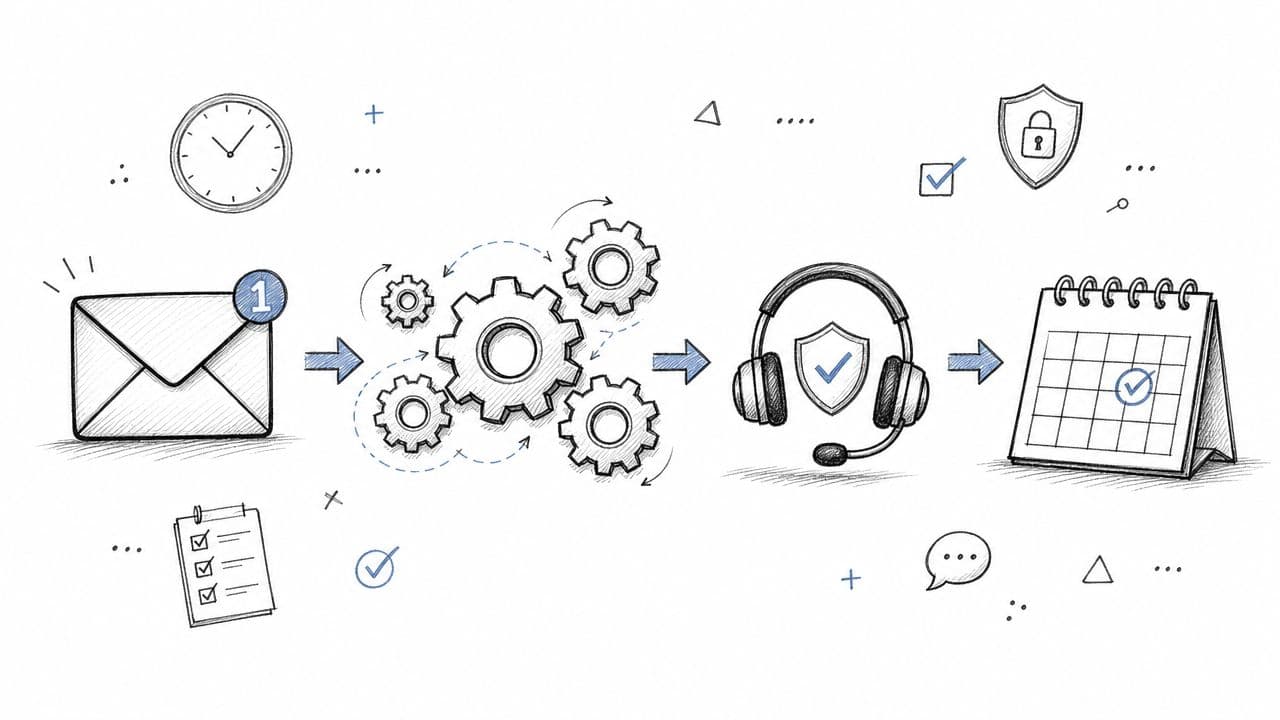
Support leaders should stop debating whether email feels old. The right question is simpler. Can your team move a case from first message to scheduled call without losing context, ownership, or security? If the answer is no, the inbox is already a liability.
From a Chaotic Inbox to a Scalable System
A shared mailbox is not a support operation. It's a holding pen.
The volume alone makes that obvious. An estimated 376.4 billion emails are sent daily, and the average person receives 100 to 120 emails per day, which is why trying to manage support from a standard inbox is, as Porch Group Media's email statistics roundup notes, a recipe for failure.

What breaks first in a shared inbox
A plain support@ address usually collapses in predictable ways:
- Ownership disappears: Two agents reply, or nobody does.
- Status is invisible: Open, pending, waiting on customer, and solved all look the same.
- Context scatters: Attachments sit in one thread, bug details in another, and the workaround lives in Slack.
- Managers can't coach: There's no reliable view of queue health, quality, or workload.
This is why serious teams move to ticket-based systems. Zendesk, Freshdesk, Salesforce Service Cloud, and similar platforms aren't just mailbox upgrades. They impose structure.
The minimum viable system
A functional customer support email setup needs a few essential elements.
| Capability | Why it matters |
|---|---|
| Ticket IDs | Every issue becomes traceable |
| Assignee field | One person owns the next action |
| Status workflow | The queue stops relying on memory |
| Collision prevention | Teams avoid duplicate replies |
| Rules and automations | Repetitive sorting gets removed from human hands |
That's the floor, not the ceiling.
A better system also includes a usable internal knowledge layer. Teams that want consistency should document macros, troubleshooting steps, escalation rules, and approved language. For support leaders refining that foundation, these knowledge management best practices are worth reviewing because email quality usually mirrors knowledge quality.
Practical rule: If an issue can't be tracked from first contact to final resolution without checking personal inboxes, the team doesn't have a system yet.
The shift that actually matters
The actual change isn't technical. It's managerial. Email must move from “messages to answer” to “work to route, own, and close.”
Once that shift happens, teams stop asking who saw the email. They start asking who owns the ticket, what state it's in, what promise was made, and whether the next step is visible. That's the difference between inbox management and support operations.
Mastering Triage and Email Prioritization
Most queues don't fail because volume is high. They fail because every message gets treated as if it deserves the same response path. That's amateur triage.
A billing receipt request, a broken integration, an angry renewal-risk account, and a production-impacting bug should never land in the same operational bucket. Yet plenty of teams still run email support as FIFO with a prayer.

FIFO is simple, but it's often wrong
First in, first out works for very small teams with low complexity. It breaks once support includes technical troubleshooting, account risk, or multiple product lines.
The better approach is triage by business impact, customer urgency, and specialist fit.
Three routing models usually cover most support teams:
-
Chronological routing
Useful for low-stakes, homogeneous queues. Weak for technical or enterprise support. -
Urgency-based routing
Better when outages, blockers, and access failures need immediate attention. -
Value-and-risk routing
Necessary when certain conversations carry churn risk, implementation risk, or executive visibility.
Categories should drive action, not reporting
Too many teams create categories because dashboards need labels. That's backward. Categories should determine ownership and workflow.
A stronger customer support email taxonomy looks like this:
- Technical issue: Route to product-trained support or Tier 2.
- Billing question: Keep with operations or support agents trained on account changes.
- Access and authentication: Fast-track because blocked users can't self-serve.
- Feature request: Capture cleanly and avoid dumping it into engineering queues.
- Churn-risk or complaint: Route to senior support or a support lead with authority.
- Call-worthy escalation: Mark for structured handoff rather than endless thread expansion.
Teams comparing queue structures and ownership models can borrow ideas from this guide to a support ticket system, especially around how routing and accountability shape the whole operation.
A workable triage policy
The cleanest triage policies are boring on purpose. They reduce judgment calls at the front door.
| Signal | Queue action |
|---|---|
| Mentions outage, broken workflow, or can't access account | Raise priority and route to technical support |
| Mentions refund, cancellation, or switching tools | Route to senior agent or retention-aware queue |
| Requests explanation, documentation, or setup help | Route to standard support with knowledge-first workflow |
| Thread length keeps growing without progress | Escalate for intervention or call review |
The first sorter should not be deciding everything. The first sorter should be narrowing the path.
Human review still matters
Automation should categorize, tag, and route. It should not make final decisions on edge cases. An angry customer can sound routine in a keyword model. A calm customer can describe a severe product issue without any obvious urgency words.
That's why strong teams keep a human review layer after automated categorization. The agent checking the queue should confirm priority, refine tags, and make the call on whether the issue belongs in asynchronous email or needs another motion.
The payoff is straightforward. Triage turns support from a pile of incoming messages into an ordered workflow. Without it, email becomes reaction. With it, email becomes queue control.
Writing Emails That Solve Problems and Build Trust
Bad support emails create extra work. Good ones close loops.
That sounds obvious, but customer support teams still write replies that are either too vague, too defensive, or too thin on next steps. The result is predictable. Customers reply with basic follow-up questions, agents burn time restating themselves, and thread length expands for no reason.
The fix is structure. Effective technical support emails that anticipate follow-up questions can reduce back-and-forth communication by 35%, according to Salesforce's customer service email guidance.

The three-part email that works
The strongest support emails usually contain three elements:
-
Clear context
State what happened. Name the issue plainly. -
Explicit next steps
Tell the customer what the team is doing, what the customer should do, and when the next update will arrive. -
Empathetic acknowledgment
Recognize the inconvenience before jumping into process language.
That structure works because it answers the questions customers usually ask next anyway.
What strong support writing looks like
A useful email is easy to scan. It uses short paragraphs, bullets when needed, plain language, and direct links to relevant resources. It doesn't hide behind internal jargon like “incident under review by engineering stakeholders.”
This is better:
Thanks for flagging this. The team confirmed the bug affecting your export workflow. Engineering is investigating now. The next update will be sent within 12 hours. In the meantime, the workaround below should let the account keep moving.
That email does real work. It names the issue, confirms action, and sets a timeline.
Templates for common high-stakes replies
Bug acknowledgment
- Subject: Investigating your issue
- Body:
Hi [Name], Thanks for reporting this. The team has started reviewing the issue affecting [feature or workflow].
Next step: support is confirming scope with engineering, and an update will be sent by [time window].
If there are screenshots, timestamps, or exact steps that triggered the issue, replying with those details will speed up diagnosis.
De-escalation reply
- Subject: Working on this now
- Body:
Hi [Name], The frustration in this message makes sense. The experience described isn't acceptable.
The issue is now being reviewed as a priority. The next update will arrive by [time window], and that update will include either the fix, a workaround, or a clear explanation of what remains under investigation.
Feature request decline
- Subject: About your request
- Body:
Hi [Name], Thanks for taking the time to suggest this. The request has been logged and shared with the relevant team.
There isn't a commitment to deliver that change right now. If there's a workaround or adjacent option available, support should include it here so the customer isn't left with a dead-end response.
Customers don't need long emails. They need complete emails.
The writing standard teams should enforce
Support leaders should QA for these questions:
- Did the reply explain what's happening?
- Did it state the next action clearly?
- Did it prevent an obvious follow-up question?
- Did it sound human without sounding casual or sloppy?
Customer support email should read like competent ownership. Not marketing copy. Not legal copy. Not a pasted macro with a first name dropped into the greeting.
Defining and Measuring Your Support SLAs
An SLA shouldn't be a threat hanging over agents. It should be a control system.
The biggest mistake support leaders make is using one vague response target for everything. That creates perverse behavior. Agents rush to send low-value replies just to stop the clock, customers still don't know when resolution is coming, and managers get a false sense of performance.
A better model separates speed from solution quality. A 1-hour acknowledgment paired with a 24-hour resolution for complex issues builds customer confidence, and transparently communicating these standards reduces anxious follow-ups by nearly 40%, according to EmailAnalytics' guide to customer service email response time standards.
One SLA is not enough
An acknowledgment SLA answers one question: Did the team see this?
A resolution SLA answers another: When should the customer expect the issue to be solved or materially advanced?
Those are different promises. They should be measured separately.
Teams that merge acknowledgment and resolution into one number usually get the worst of both. Slow reassurance and rushed, low-quality answers.
Sample Email Support SLAs by Priority
| Priority Level | First Response Time (Acknowledgement SLA) | Target Resolution Time (Resolution SLA) |
|---|---|---|
| Urgent | 1 hour | 24 hours |
| Standard | As defined by the team's published support policy | As defined by the team's published support policy |
| Low | As defined by the team's published support policy | As defined by the team's published support policy |
The table doesn't need fake precision to be useful. Teams should set the standard and publish it clearly. The key is consistency, not spreadsheet theater.
What should be measured every week
A disciplined support operation reviews a short list of metrics repeatedly:
- First Response Time: Shows whether intake and queue ownership are working.
- Average Resolution Time: Shows whether triage, collaboration, and escalation paths are effective.
- CSAT: Shows whether customers felt helped, not just answered.
- SLA attainment by queue: Shows where the process is breaking.
- Reopen rate: Useful for spotting shallow fixes or poor closure judgment.
Support leaders who want a plain-language overview of SLA structure can use Recepta.ai's guide to SLAs as a reference point, especially when aligning definitions across support, customer success, and operations.
Publish the promise
SLA targets should not live only in manager decks. They belong in auto-replies, help center language, and escalation templates.
That transparency does two things. It lowers customer anxiety, and it forces the team to own the standard publicly. If the team says acknowledgment will happen within a defined window, the system has to be staffed and designed to support that promise.
That's what makes SLAs useful. They turn service quality from a hope into an observable commitment.
The Secure Handoff From Email to Scheduled Call
Many support teams often ruin otherwise solid email work at this stage.
The team triages correctly. The agent writes a clear reply. The issue gets narrowed down. Then the thread reaches the point where a call is obviously faster, and the process falls apart into calendar ping-pong, exposed personal booking links, or vague “send some times that work for you” nonsense.

When email should escalate to a call
Not every issue deserves synchronous time. Many teams escalate too early because writing a precise email is harder than offering a meeting.
A call makes sense when:
- The thread is looping: Questions and answers keep repeating without narrowing the problem.
- The issue is emotionally charged: The customer needs reassurance and active listening.
- The workflow is technical and visual: Screen-sharing will compress diagnosis.
- Multiple stakeholders need alignment: One conversation is cleaner than fragmented replies.
The handoff matters because it's the first moment the support process stops being purely async. That transition needs control.
The old way versus the workable way
| Old way | Better way |
|---|---|
| Agent sends personal calendar link | Team sends controlled scheduling access |
| Customer books one specific person | Customer books the capability needed |
| Bookmarked links live forever | Access expires after use |
| Agent calendar gets bypassed | Routing stays inside support operations |
| Reassignments happen manually | Availability and fallback are handled by the system |
Purpose-built scheduling starts to matter. Generic tools were built for sales convenience, not support control. Support needs routing by team capability, privacy for agent calendars, and protection against queue bypass.
One option is Headset Army, which is designed for support organizations and uses single-use links, team-based scheduling, and delayed assignment so the meeting can land with an available qualified teammate rather than exposing one person's calendar. Teams handling this handoff can also borrow wording patterns from this guide on a professional invitation for meeting, especially when the email needs to move from investigation to scheduled conversation without sounding abrupt.
The point of a support call isn't convenience for the customer alone. It's controlled escalation without breaking queue discipline.
What the handoff email should say
A strong escalation email to a call includes:
- Why the call is necessary: Explain that the issue will move faster with live troubleshooting or alignment.
- What the customer should expect: State whether the session is for diagnosis, walkthrough, or resolution planning.
- How scheduling works: Offer a secure booking path that doesn't expose internal calendars or direct meeting links.
- What to prepare: Browser details, screenshots, affected workflow, or stakeholder attendance if needed.
The support team shouldn't lose operational control the moment the issue becomes complex. That's the exact moment control matters most.
Build Your Email Support Machine
Customer support email isn't about polished prose alone. It's a production system. Intake, triage, writing quality, SLA discipline, and escalation design all have to work together or the queue starts leaking trust.
Support leaders building or rebuilding that system can also study platform-specific workflow thinking, such as this overview of DataLunix Freshservice expertise, and compare broader tooling choices with a practical help desk software comparison. The toolset matters, but the operating model matters more.
Teams that treat email as a strategic channel build cleaner queues, calmer customers, and fewer avoidable escalations. Teams that treat it like inbox admin stay stuck in reaction mode.
Headset Army helps support teams control the hardest part of the customer support email workflow: the move from async thread to live conversation. For organizations that need secure, team-based call scheduling without exposing agent calendars or creating queue bypass, Headset Army is worth evaluating.