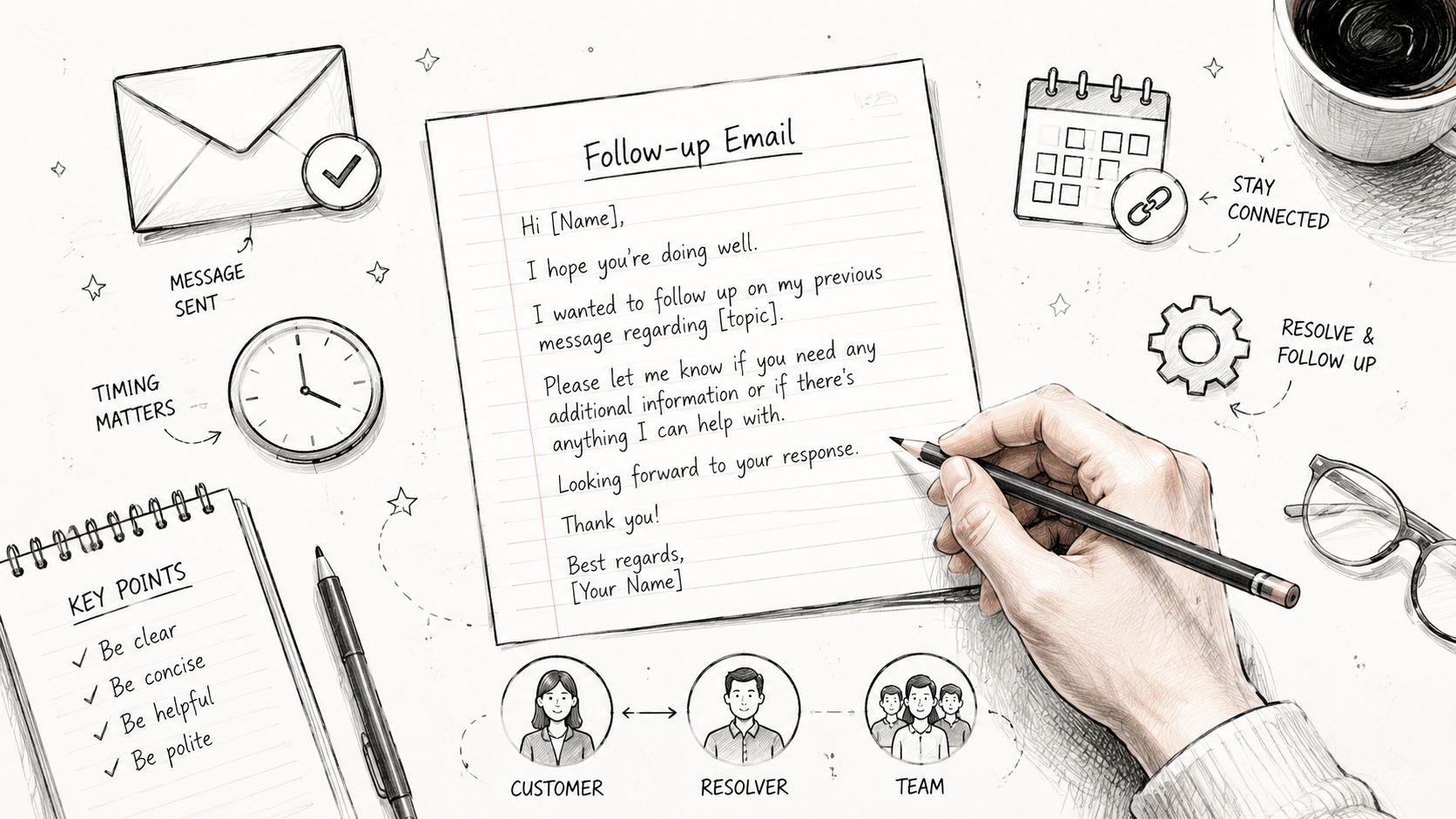

Follow Up Email After a Meeting for Support Teams
The meeting ended, the customer is waiting, and three internal people now need the same story in slightly different forms. That is usually where a follow up email after a meeting either clears the queue or muddies it for the next two days. In support work, the recap is not a courtesy note, it is the handoff that keeps ownership, timing, and next steps visible.
A strong follow-up does three jobs at once. It reassures the customer, gives the resolver a clean ticket trail, and tells the manager what is moving and what is stalled. That is why the best recaps feel less like polite email and more like a controlled transfer of work.
The Support Team's Triple-Audience Follow-Up
The call ends, the tier-2 agent closes the headset, and the keyboard is still warm when the recap has to go out. The customer needs clarity, the internal resolver needs context, and the manager needs enough signal to know whether the queue is healthy or slipping. A generic thank-you email does not satisfy any of them, because it reads like one message aimed at no one in particular.

What each reader actually needs
The customer needs to know that the issue is being handled, what was decided, and what happens next. They are looking for reassurance without being buried in internal shorthand or half-finished thoughts. A recap that opens with jargon or an apology-heavy tone can make the situation feel less controlled than it is.
The internal resolver needs enough detail to work without reopening the whole conversation. That means the ticket number, the exact failure point, and any constraints that came out of the meeting. If the email leaves those out, the next person has to reconstruct the call from memory or start another thread.
The manager needs routing information, not a novel. Who owns the fix, which team is waiting, and whether the deadline still holds are the useful parts. Support leaders read these emails as queue artifacts, because they show whether the issue is moving or just being discussed.
Why one polite recap can fail all three
A single warm paragraph often feels considerate, but it hides the working parts. The customer wonders whether anyone is responsible, the resolver wonders which note matters, and the manager sees no timeline at all. That is how a message that sounds pleasant still leaks information and stalls resolution.
Practical rule: the strongest recap reads like a short bridge between conversation and ticket, not like a thank-you card.
The most effective follow-up emails still stay in one thread, but they change emphasis by audience. The same message can acknowledge the customer, route the internal action, and preserve managerial visibility if it is written with clear names, deadlines, and one next step. Guidance on this structure aligns with the emphasis on concise, action-oriented follow-ups within 24 hours in the follow-up email after a meeting template, which also notes that follow-ups work best when they point to specific meeting details and end with one clear call to action.
When to Send and When to Wait
Speed matters, but speed without judgment creates noise. For a clean resolution call, sending the recap within 2 to 4 hours keeps the details fresh and gives everyone a chance to correct misunderstandings before the day is over. For routine check-ins, end-of-day still works well because the thread lands while the meeting is still top of mind.
Reading the room before hitting send
Some conversations should not be recapped instantly. Escalations, tense calls, and multi-stakeholder technical reviews often need internal confirmation before anyone sends a public summary. A message that lands too quickly can feel templated or premature, even if every sentence is technically correct.
That is the trade-off support teams miss most often. The instinct is to prove responsiveness, but the better move is to match the send time to the recipient's cognitive load. When the meeting required follow-up between teams, the recap should wait until the next owner can stand behind the wording.
The safest timing rule is simple. Clean call, send fast. Complex call, pause long enough to verify the next owner and the next step. If the discussion ended with internal consultation still pending, the customer should receive a short acknowledgment first, then the fuller recap once the facts are confirmed.
How to avoid the silence gap
A delay is fine when it is visible. If the agent needs to confirm details internally, the customer should not be left guessing whether the thread got dropped. A short note that says the summary is being confirmed and will follow shortly keeps the conversation alive without overpromising.
For teams handling repeat follow-ups, the cadence advice in this guide to getting email replies is useful because it reinforces the value of a clear first nudge and a measured second touch. The useful part for support is not the pursuit angle, but the reminder that timing should stay polite and purposeful instead of frantic.
A recap that lands in the wrong moment can do more harm than a slightly slower one. Support teams should favor the moment when the email can advance the case, not just prove that someone typed fast.
Anatomy of a High-Converting Recap
A strong recap is compact, but it still has to carry structure. The most reliable version has six parts, and when one goes missing the thread usually weakens in a predictable way. The subject preserves the context, the opening names the meeting and ticket, the summary compresses the decision, the action items assign ownership, the CTA asks for one next step, and the signature points back to the queue rather than to a private inbox.
The six pieces that keep the thread usable
Subject line. The subject should preserve the original thread or use a concise meeting-specific line. If it drifts into something generic like “Following up,” the thread becomes harder to find and easier to ignore.
Opening line. The first sentence should name the meeting, the ticket, or both. That gives the reader immediate orientation and saves them from digging through the conversation.
Decision summary. Two or three short sentences are enough. The job is not to recreate the entire call, only to state what changed and what was agreed.
Action items with owners and deadlines. This is the part that turns a meeting into work. Without named owners and dates, the recap becomes a memory aid instead of an execution tool.
One explicit CTA. Ask for one thing, such as confirming an action item or approving the next session. Multiple asks create hesitation, especially when the thread already involves more than one team.
Queue-based signature. The close should route the reply into the team's process, not into a single agent's inbox. That keeps ownership visible when shifts change or a case is handed off.
What usually goes missing
Support threads often lose the ticket reference first, then the owner, then the deadline. Once those three drop out, the rest of the email looks professional but does not move the case. A readable recap is not the same as a useful one.
| Structural piece | What breaks when it is weak |
|---|---|
| Subject line | The thread gets lost in inbox search |
| Ticket reference | The next agent cannot trace the case |
| Owner and deadline | Nobody knows who is accountable |
| CTA | The customer is left with a passive summary |
The best support recaps are short enough to scan and specific enough to act on. Dropbox's guidance on meeting recaps emphasizes a concise format with the meeting date, participants, main decisions, action items, owners, deadlines, supporting materials, and the next touchpoint in a single record, which fits the same “who does what by when” logic used in support queues. That structure is practical because it turns the email into a searchable decision record, not just a follow-up note.
Ready Templates for Common Support Scenarios
Templates save time only when they fit the actual use case. A customer support recap after a tense call needs different language from an internal escalation note, and a scheduling handoff should sound different again because it is moving the case into a new calendar slot. The trick is to keep the structure fixed and let the tone change.

Internal escalation handoff
Tight version
Subject: Escalation handoff for [Ticket #]
Hi team,
Here's the short handoff from today's call. The issue is now with [owner/team], and the blocker is [specific blocker].
Next step: Please confirm whether [action] can be completed by [date].
Thanks,
[Name]
Softer version
Subject: Recap and next step for [Ticket #]
Hi team,
Thanks for jumping on the call. The main issue we confirmed is [issue], and the next owner is [team/person].
Please review the notes in the ticket and reply with any missing detail before [date].
Best,
[Name]
Cross-team coordination email
Tight version
Subject: Follow-up from today's support review
Hi [Team],
Today's meeting confirmed that [support detail] depends on [engineering/billing action].
The customer-facing update stays the same until we hear back. Please send a status note by [date] so support can respond cleanly.
Regards,
[Name]
Softer version
Subject: Coordination note from the support call
Hi [Team],
Thanks for reviewing the issue with support today. The customer is waiting on [specific dependency], and the current path is [current path].
If anything changes on your side, please reply in thread so support can keep the customer updated without guessing.
Thanks,
[Name]
For teams that need a broader support-email reference point, the internal workflow examples in customer support email are useful because they show how tone and routing shift when the email is meant to move a case instead of just acknowledge one.
Customer recap after a difficult call
Tight version
Subject: Recap of our call on [date]
Hi [Name],
Thanks for taking the time today. We confirmed [decision], and [owner] will handle [action] by [date].
Please reply with a quick confirmation if that matches your understanding.
Best,
[Name]
Softer version
Subject: Thank you for today's conversation
Hi [Name],
Appreciate the conversation today and the detail you shared. We agreed that [decision], and the next step is [action] by [date].
If anything looks off in the summary, just reply here and it can be corrected quickly.
Warmly,
[Name]
Scheduling the next session
Tight version
Subject: Booking our next support session
Hi [Name],
To keep the case moving, the next step is to book a follow-up session. Please use this link to choose a time that works.
Once the booking is set, the meeting details will be sent automatically.
Thanks,
[Name]
Softer version
Subject: Next step for our follow-up
Hi [Name],
Thanks again for the discussion today. The easiest way to keep momentum is to schedule our next session from this link.
Once it's booked, the details will come through in the confirmation message.
Best,
[Name]
For teams comparing tone and structure against lighter outreach formats, network follow up email templates can be a useful contrast, because support recaps need more routing discipline and less relationship padding.
Why Calendar Links Belong Behind the Recap
A direct calendar link feels efficient until it starts creating a side channel outside the queue. Once a booking URL lands in a thread, customers can bookmark it, forward it, and reuse it long after the original case is closed. That is how support teams end up with queue bypass and accidental calendar exposure.
Keep the scheduling capability, not the agent calendar
The recap should hand the customer a way to schedule, not a path to a specific person's calendar. Single-use scheduling links are the safer pattern because they expire after one booking and stop becoming a permanent shortcut. The customer still gets a clear next step, but the support team keeps control over who is assigned.
That distinction matters because the thread itself often outlives the case. If the booking URL stays live, it can be reused when the original issue is already solved, which creates confusion for both routing and workload balance. A branded waiting room adds another layer of control by holding the meeting details until the call begins, so direct Zoom links and email addresses stay private.
The cleanest support handoff does not expose the person who might answer next. It exposes the process that will get the customer there.
A controlled scheduling flow also protects the thread from becoming a personal relationship shortcut. When a customer needs another call, the recap should point them to a one-time booking path that routes through the team's process. That keeps the contact surface consistent and avoids the awkward situation where one exposed calendar becomes the default path for every future request.
For a related meeting-invitation pattern, the invitation for meeting resource is useful because it reinforces the same principle from the other side of the thread, the invite should organize the next touchpoint without revealing more than the team intends.
Mistakes That Quietly Break Support Follow-Ups
The most damaging follow-ups are rarely the obviously bad ones. They look polished, sound courteous, and still fail the queue because they leave out one critical piece of routing information. A support lead usually sees the damage only after the case has bounced, stalled, or closed too early.

The seven quiet failures
-
Missing ticket number. The fix is to put the ticket in the subject or first line so the thread can be traced fast. Without it, the email becomes hard to match to the case.
-
No clear next step. The fix is one explicit CTA, not three soft asks. If the reader has to guess, nothing moves.
-
Jargon overload. The fix is to translate internal language into plain terms the customer can follow. Jargon feels efficient to the sender and expensive to everyone else.
-
Ignoring internal context. The fix is to include the internal dependency in a short note or a private thread, not to force it into customer-facing copy. Support teams often lose time when a public recap omits what the resolver already knows.
-
Delayed send. The fix is to choose the send time based on urgency and complexity, not on habit. A recap that arrives too late loses momentum even if it is well written.
-
No ownership. The fix is to name the owner and the fallback owner if the first person is out. A task without a backup is just optimism in sentence form.
-
Vague resolution. The fix is to state what was agreed, not what sounded good in the room. “We'll look into it” is not closure.
What to audit first
The fastest audit is simple. Check whether the thread names the ticket, states the next step, and makes ownership obvious. If any of those three are missing, the recap is more style than substance.
Premature closure is the one that causes the most friction because it looks like progress. A message that implies the issue is resolved before the customer confirms it can force another round of cleanup, and the original thread gets noisier instead of calmer. The same risk shows up when a calendar link is exposed too early, because the routing path starts behaving like a private shortcut rather than a managed queue.
Measuring Whether the Recap Actually Worked
A recap should change the case, not just the tone of the thread. The easiest way to tell is to measure whether people answered faster, owned their tasks, and stayed on schedule after the email went out. If the thread keeps reopening, the recap was probably too vague or too hard to act on.

The small metrics that matter
Time to first reply tells support whether the recap invited action or got ignored. A fast reply usually means the thread was easy to scan and the next step was obvious.
Owner acknowledgment rate shows whether the named person accepted the handoff. If the owner stays silent, the thread may have been too broad or the assignment too vague.
Action-item completion on deadline is the clearest signal that the recap converted conversation into work. When this number slips, the problem is often missing specificity rather than motivation.
Customer satisfaction tied to recap threads helps separate good tone from good execution. A courteous email that does not resolve confusion is still a weak follow-up.
Reschedule rate on the booking link is useful when the recap includes a next session. If people can schedule cleanly, the follow-up path is doing its job without extra back-and-forth.
The operational view gets sharper when these signals are reviewed with ticket hygiene. The broader support-ticket workflow guidance in support ticket system aligns with this approach, because the recap only works when it fits the same routing discipline as the rest of the queue.
Support leaders do not need a giant dashboard to start. They need a short weekly read on reply speed, acknowledgment, closure on deadline, and whether the scheduling path is staying controlled. That keeps the recap from becoming a feel-good habit and turns it into a measurable handoff tool.
Headset Army helps support teams turn recap emails into controlled handoffs instead of loose calendar invites. If this kind of queue-safe scheduling matters to the way the team runs follow-ups, visit Headset Army and see how it supports secure routing, single-use scheduling links, and branded waiting rooms for customer support work.