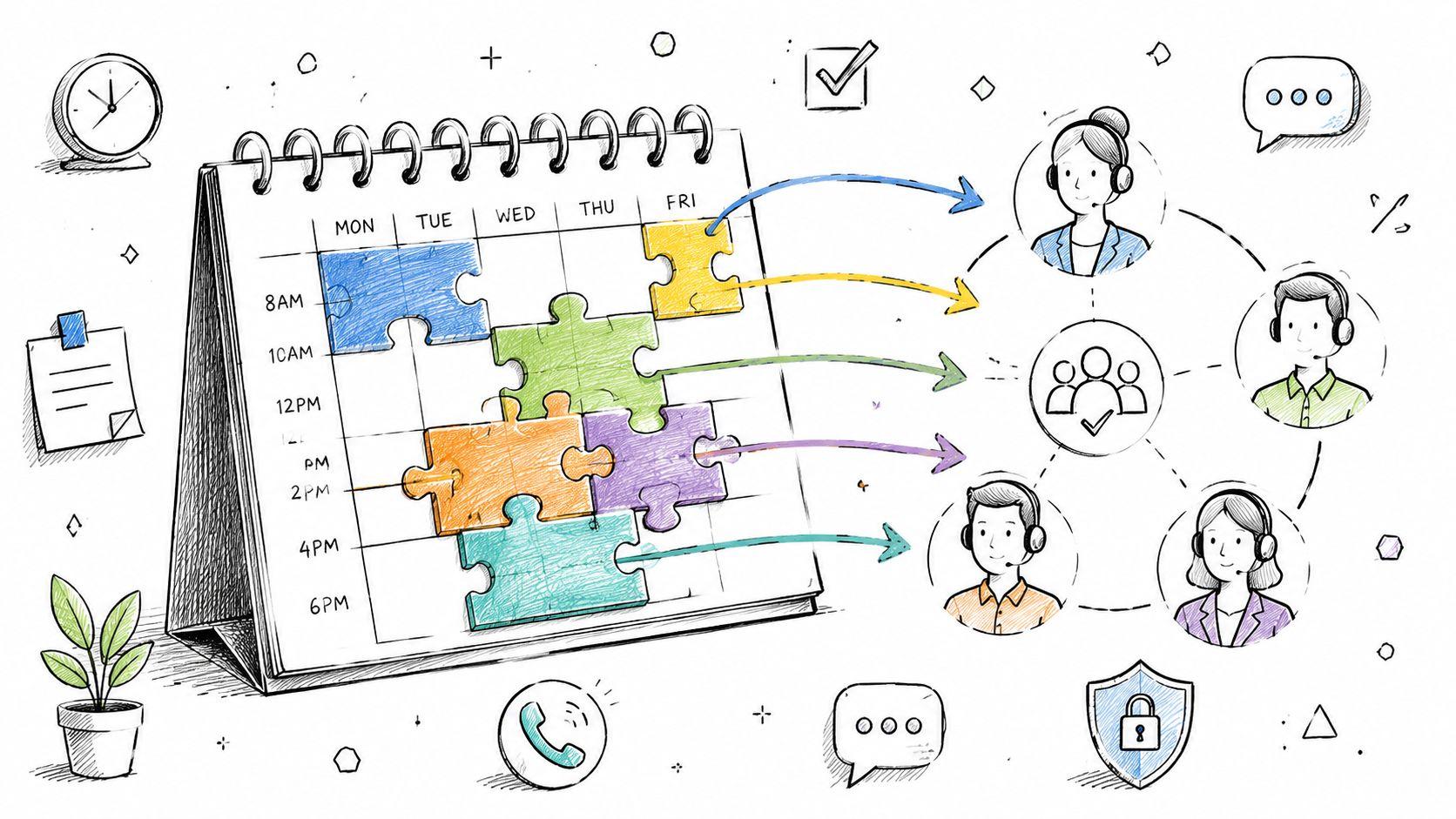

Schedule of Availability: A Guide for Support Teams
Most advice about a schedule of availability is wrong. It treats availability like a personal calendar problem when it's really a service delivery problem. That mistake is why support teams keep missing handoffs, exposing direct booking links, and overloading the same dependable agents.
A support operation doesn't need prettier calendar blocks. It needs control. The team needs to know who can cover which issue type, when that coverage counts, and how the system reacts when the planned agent disappears. Without that, the schedule of availability becomes an administrative artifact that looks organized while the queue steadily breaks underneath it.
Your Schedule of Availability Is Not a Calendar
Support leaders often inherit a bad assumption. If every agent fills out their hours and managers publish those hours somewhere, the team has a schedule of availability. That's not a schedule. That's a loose collection of personal constraints.

In enterprise architecture, a schedule of availability is a formal non-functional requirement that defines the exact time windows when a solution must be operational. A common example is “08:00 to 19:00 hours Monday to Saturday”, and failures outside that window don't count against scheduled uptime because the schedule defines the denominator for availability itself, as explained by Requirements.
That definition matters far beyond infrastructure. Support teams should borrow the same discipline. If a team says escalation calls are available during business hours, that statement is useless unless the actual boundaries are explicit, enforced, and tied to routing behavior.
A calendar view hides operational risk
A calendar shows slots. An operational schedule of availability shows service commitment.
Those are not the same thing.
A shared Google Calendar can tell a manager when an agent appears free. It can't tell the operation whether that slot should be used for billing escalations, VIP accounts, multilingual cases, or overflow from another queue. Teams that try to patch this with workarounds usually end up stitching together inbox rules, spreadsheets, and hacks like merging Google Calendars for visibility. Visibility isn't control.
A support schedule should answer one question first. When must the team be capable of serving a specific need?
The wrong model creates the wrong behavior
Once availability is treated like a personal scheduling artifact, managers start optimizing the wrong thing. They protect named calendars instead of protecting customer access to qualified help. They assign meetings to people instead of assigning demand to capabilities.
That's why so many support teams look staffed on paper and still fail in practice. The system was built around individual calendars, not operational coverage.
Why Static Availability Schedules Fail Support Teams
Static availability schedules break support because they freeze a live operation into a personal planning artifact.
Support demand does not arrive in neat blocks. It spikes by channel, priority, language, product line, and incident status. A calendar can show who marked themselves free. It cannot control whether the team is ready to handle the work that arrives.

That is the core failure. Static schedules track individuals. Support leaders need a system that tracks coverage, permissions, routing rules, and fallback ownership at the team level.
Static schedules mistake open time for operational capacity
An open hour on an agent calendar is not capacity. It is unverified time.
That hour might need to be protected for escalations, held for a regulated channel, limited to one language queue, or reserved for overflow. If your scheduling method cannot represent those constraints, you are not managing availability. You are publishing guesses.
Teams often patch this with manual shifts, side messages, and lead intervention. That does not solve the problem. It hides it until volume rises or the wrong customer gets direct access.
Static schedules create queue bypass
Generic schedulers were built for direct booking. Support should resist that model.
The moment customers, account managers, or internal teams get links tied to named agents, the queue stops acting as the front door. Triage weakens. Priority rules get ignored. Work starts flowing to whoever is known, visible, or previously helpful instead of whoever is qualified and available right now.
That is calendar leakage. It is not a customer behavior issue. It is a design failure caused by exposing people instead of exposing controlled service entry points.
Static schedules reward heroics and punish resilience
Every support team has a few people who carry too much institutional trust. Static scheduling makes them easier to reach and harder to protect.
| Agent-centric pattern | What happens in practice |
|---|---|
| Direct booking links | Repeat requesters keep going back to the same agent |
| Public calendar exposure | Urgent work gets pushed to whoever appears open |
| Manual reassignments | Team leads spend their time fixing routing mistakes |
| Repeating time blocks | Coverage looks stable until exceptions hit |
The pattern is always the same. Senior people absorb edge cases. Junior people get fewer hard reps. Knowledge stays concentrated. Coverage becomes fragile the second one person is out.
Practical rule: If a requester can find a person faster than your system can find the right capability, your availability model is wrong.
Static tools leave ownership undefined
Common availability tools do one job well. They record when an employee is willing or expected to work. They do not answer the harder support question: who owns the work if the first matching person is unavailable, overloaded, pulled into an incident, or blocked from that channel?
That gap matters more than the calendar itself.
A support operation needs availability to trigger controlled assignment across a qualified pool, with backup paths and channel rules built in. Systems centered on individual availability rarely do that cleanly. They leave leads to improvise, and improvised routing is where service quality slips first.
Static schedules fail because support coverage is not an HR record. It is an operational control system. Treat it like a personal calendar, and the queue will keep breaking in predictable ways.
Best Practices for Designing Your Availability Framework
Bad availability frameworks create fake certainty. They produce neat grids, then collapse the moment someone calls out, swaps priorities, or loses access to a queue. Build the framework as an operating rule set for team coverage, not as a form employees fill out for HR.

Collect inputs that are usable in operations
An availability form should capture constraints the business can act on. If it only records “free” hours, managers will still end up guessing, negotiating, and overriding the schedule by hand.
Collect these fields at a minimum:
- Weekly availability blocks with a clear status for available, unavailable, and preferred time.
- Maximum schedulable hours so the same dependable people do not absorb every gap.
- Recurring restrictions such as classes, caregiving windows, religious observance, or second-job conflicts.
- Channel or task limits when someone is available for one type of work but not qualified for another.
- Change-trigger updates for any event that changes actual capacity, not just preference.
That last point matters. Capacity changes faster than policy documents do.
Set a review cadence that matches reality
Teams break this in two predictable ways. They either collect availability once and pretend it will stay true for months, or they ask for updates so often that staff stop taking the process seriously.
Use a scheduled review cycle. Then require immediate updates when a real constraint changes. Stable teams can review less often. Teams with seasonal load, rotating responsibilities, or high turnover need tighter check-ins. The goal is accuracy without creating weekly admin churn.
Treat submitted availability as an agreement
Nothing poisons the system faster than asking people for constraints and then scheduling over them the first time coverage gets tight. Once managers do that, the form stops being operational data and turns into a ritual nobody trusts.
Respect hard constraints. Challenge vague preferences if needed, but label them correctly. If every field carries the same weight, managers will ignore the form and employees will pad it defensively. That is how availability data becomes fiction.
If your team has to hide true constraints to avoid being scheduled badly, your framework is already broken.
Use tools built for coverage, not personal convenience
Spreadsheets can collect inputs. They do a poor job controlling handoffs, exceptions, and shift changes across a support function. Teams evaluating systems should look for tools that organize shifts in a way that supports service continuity, queue ownership, and reassignment when conditions change.
Use a simple filter when you evaluate tooling:
- Can it separate hard unavailability from soft preference?
- Can it update coverage without rebuilding the entire schedule?
- Can it connect availability to skills, queue access, or service responsibilities?
- Can leads see who is actually eligible to take work, not just who appears open?
If the answer to those questions is no, you do not have an availability framework. You have a calendar with extra fields.
Shift from Scheduling Agents to Scheduling Capabilities
Support breaks when you schedule people instead of service. Named calendars feel organized, but they create a brittle operation built around individual availability, individual relationships, and individual rescue work.

Customers do not need a specific rep's 2:00 PM slot. They need the right outcome inside the right window. For a Tier 2 billing issue in Spanish, the unit of scheduling is clear: billing expertise, language coverage, permission to handle the case, and availability during that service period.
The old model protects names instead of service
Agent-first scheduling asks, “Who owns this?”
That question causes half the mess support teams fight every week. It encourages managers to route work to familiar specialists, preserve personal calendars, and treat coverage gaps as exceptions instead of design failures. Once that happens, the team stops operating as a system and starts operating as a directory of preferred humans.
Capability-first scheduling asks a better question: “What must be true for this work to be handled correctly?” Start there, then assign from the qualified pool.
That changes staffing decisions fast. A manager no longer needs Maria open at exactly the right time. The operation needs someone who can handle Tier 2 billing in Spanish, with the right access level, during the promised window. If three people can do that, the schedule is stronger, fairer, and harder to break.
Why agent-centric scheduling keeps failing
The failure pattern is predictable.
A specialist gets booked directly. An escalation arrives and waits because that person is tied up. Another lead bypasses the queue and pings the same expert again because they know the name. Soon one agent becomes the unofficial owner of a problem area, burnout rises, and the rest of the team never builds depth.
This is also where channel design matters. Teams that already struggle with individual inboxes usually make the same mistake in scheduling. They attach work to people instead of routing it through a controlled team system. If your operation still relies on personal ownership in email, fix that first with a shared customer support email workflow and carry the same logic into availability.
What capability scheduling actually includes
A capability-based schedule needs four layers:
| Layer | Operational meaning |
|---|---|
| Skill definition | Product line, support tier, language, compliance requirement, account segment |
| Qualified pool | Every agent cleared and trained to handle that work type |
| Availability filter | Who can take that work during the target window |
| Assignment rules | How one eligible person is selected without exposing the whole pool |
Build the schedule in that order. Do not start with names and try to backfill skills later. That is how teams create false coverage, where a shift looks staffed on paper but cannot handle the incoming work mix.
One rule matters more than the rest: defer person-level assignment until you need it. Early assignment creates fragility. Late assignment gives the operation room to absorb meetings, absences, escalations, and volume swings without rewriting the day.
Stop asking which agent owns the slot. Decide which capability the slot must protect.
That is how a schedule of availability becomes an operating system instead of an HR artifact. It survives turnover, supports cross-training, and keeps service intact when individual calendars change.
Stop Calendar Leakage and Secure Your Support Channels
Security is the most neglected part of availability design. Teams obsess over coverage patterns and forget that every exposed booking link is a potential support backdoor.

Most scheduling tutorials teach teams how to create repeating availability blocks. That's fine for internal coordination. It's weak for customer-facing support because it assumes the booking link itself is harmless. It isn't.
Guides for tools such as Freshdesk commonly show teams how to configure availability patterns but don't address single-use expiration, privacy-preserving meeting access, or controls that prevent calendar hijacking, as noted in this Freshdesk availability calendar tutorial.
Static links are a policy failure
A static booking link says, “Anyone with this URL can keep reaching this person.”
That directly conflicts with how support should operate. The team needs controlled entry points, auditable routing, and the ability to revoke access by changing process rather than chasing old links.
A secure schedule of availability should follow these rules:
- Use single-use booking links so one successful booking invalidates the URL.
- Keep agent identity abstracted until the interaction begins.
- Hide direct meeting details until call start, so customers can't save personal join links and bypass official intake.
- Route requests through support context such as ticket type, urgency, or entitlement instead of exposing raw availability slots.
Privacy is part of operations
Many support teams treat privacy as an IT concern. It's an operations concern too.
If customer-facing scheduling exposes personal email addresses, persistent video links, or named specialist calendars, the team loses control over channel discipline. Customers will naturally choose the shortest path. That path often ignores triage, priority, and documentation.
A more secure approach keeps the customer inside the support process. Teams that need customer communication to stay attached to the official workflow should review how scheduling interacts with their broader customer support email process, because direct scheduling access and unmanaged email access usually create the same kind of leakage.
What to require from the system
Support leaders should insist on a short security checklist before rolling out any scheduler:
- Link expiration control after one booking or after a short validity window.
- No persistent direct-dial artifacts that customers can reuse later.
- Role-based control over who can generate booking access.
- Auditability for who created access and for which case.
- Fallback behavior that preserves process if the originally intended agent becomes unavailable.
One practical option in this category is Headset Army, which is built around team-first support scheduling with single-use links, capability-based routing, and hidden meeting details until the call starts. That matters because secure scheduling isn't a cosmetic feature. It's the difference between a governed support channel and a side door nobody can shut.
Automate Fallback and Ensure Constant Coverage
The defining test of a schedule of availability isn't what happens on a normal Tuesday. It's what happens when the planned agent disappears just before a critical customer meeting.
A launch is underway. A high-priority customer has a scheduled troubleshooting session tied to a production issue. Ten minutes before the call, the assigned specialist reports sick. In a traditional model, a team lead scrambles through calendars, messages three people, and hopes someone with the right context is free. The customer feels the delay immediately.
A capability-based system handles that differently.
Fallback should be automatic
If the request was scheduled against a capability pool instead of a person, the system can look for the next qualified and currently available agent without restarting the process. The customer keeps the appointment. The team preserves coverage. The manager doesn't become a human router.
That fallback can also cross team boundaries when the capability exists elsewhere. A billing specialist from one pod may cover another pod's case if the entitlement rules and skill match allow it. The point is not convenience. The point is continuity.
Just-in-time assignment reduces churn
Another strong design choice is just-in-time assignment. Instead of selecting the exact agent far in advance, the system holds the booking against the capability and makes the final assignment closer to the event.
That approach solves several ugly support problems at once:
- Shift changes don't force a manual rebooking if another qualified agent starts later.
- Workload spikes can be balanced closer to real demand.
- Double-booking risk drops because the assignment reflects fresher availability data.
- Last-minute absences don't automatically become customer-facing failures.
The team shouldn't commit early unless early commitment creates clear value for the customer or the case.
A resilient schedule behaves differently
A brittle schedule assumes the original plan will survive contact with reality. A resilient one assumes change and designs for it.
The difference shows up in everyday moments. Someone joins an incident bridge. A specialist gets pulled into a product bug review. A queue floods after a release. In each case, the schedule of availability should act like a control system that redirects qualified coverage, not a static promise tied to one person's calendar.
That's what support leaders should demand. Not prettier schedules. Coverage that holds under pressure.
Measure What Matters and Take Back Control
A schedule of availability should be measured like an operational system. If leadership only tracks booked calls or agent utilization, the team will miss the true failures.
The useful questions are sharper:
- Schedule adherence. Did planned coverage exist when the service window required it?
- First-contact resolution for scheduled interactions. Did the scheduled conversation solve the issue, or just create another handoff?
- Out-of-process escalations. How often did customers or internal teams bypass the intended route?
- Fallback activation rate. How often did the system need to replace the originally expected handler?
- Capability coverage gaps. Which skill combinations repeatedly lacked qualified availability?
For teams trying to tighten this loop, a platform for AI support automation can help operationalize triage, routing, and context capture around scheduled interactions. The value isn't novelty. It's reducing the manual glue work that hides failure patterns.
Leaders should also align these measures with broader customer support KPIs, so availability decisions are tied to service outcomes rather than calendar occupancy.
The core shift is simple. Stop treating the schedule of availability like an HR document. Treat it like the control layer for customer access, staffing fairness, and support resilience.
Headset Army helps support teams replace exposed agent calendars with team-first scheduling, secure booking flows, and capability-based routing that keeps customers in the right process. Teams that want tighter control over support appointments can review how Headset Army approaches scheduling for service organizations.